
Fluxx
AI-native project management for software development
Fluxx brings planning docs, kanban, coding agents, git worktrees, team sync, and automation into one project management workspace, so a single engineer can plan work, delegate to agents, review progress, and ship with confidence.
Turn product intent into planned, delegated, tracked, reviewed engineering work.
- Planning docs + kanban
- Coding agents + isolated worktrees
- Team sync + automations
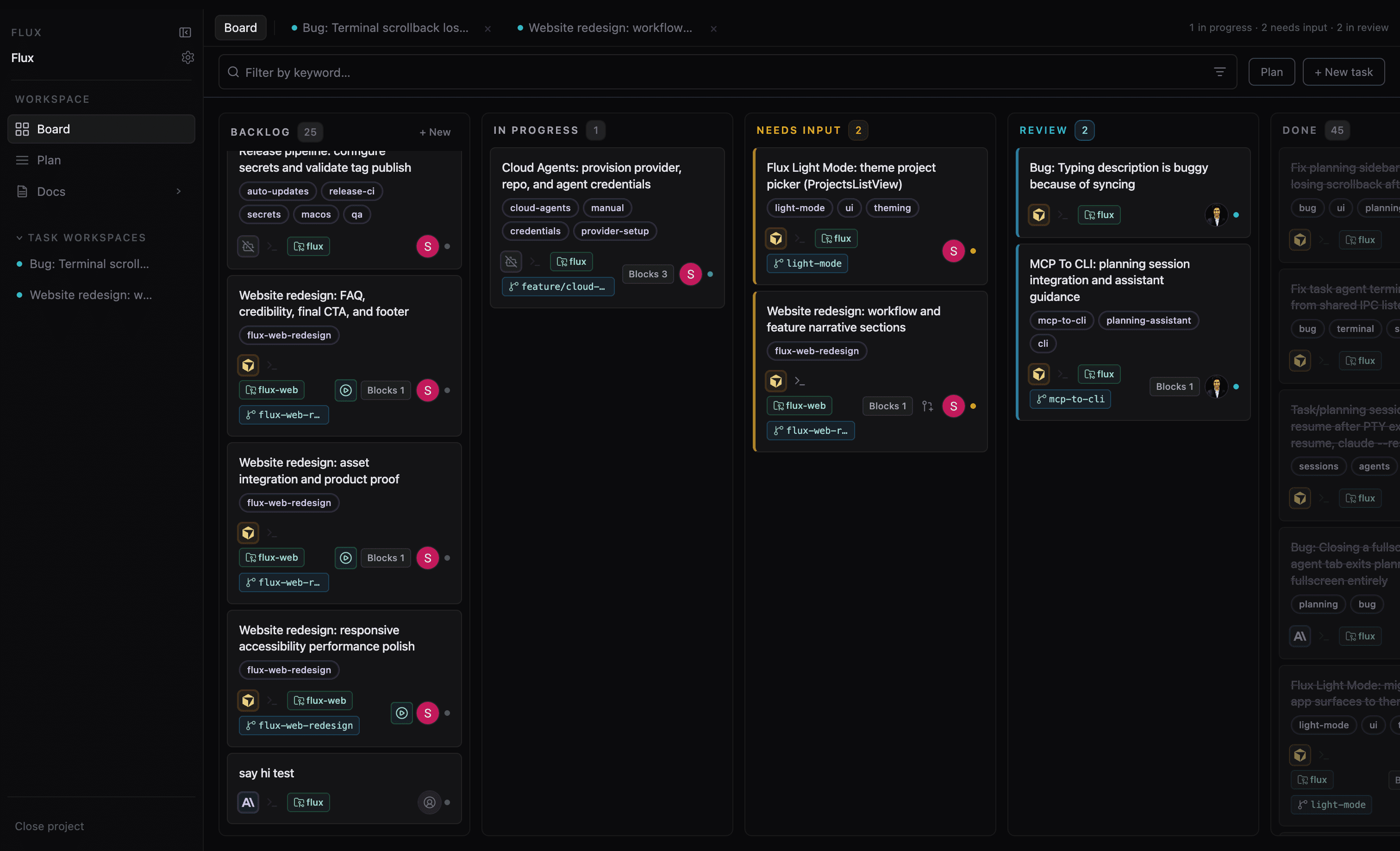
See Fluxx in motion.
- 1Plan from docs and project context.
- 2Delegate scoped tasks to agents.
- 3Track, review, and ship from one place.
FAQ
What is Fluxx?
Fluxx is AI-native project management for software development — a workspace where you plan work, delegate to coding agents, track progress on a kanban board, and review outcomes before shipping.
Is Fluxx a project management tool or an agent runner?
Both, integrated. Fluxx is built around the full loop: plan from docs, delegate scoped tasks to agents with isolated worktrees, track state on a board, and review diffs and PRs — not just parallel terminal sessions.
Which agents does Fluxx support?
Fluxx is designed for CLI-based coding agents you already use, including Claude Code, Codex, and Cursor-style agents. Support varies by integration maturity.
Does Fluxx use git worktrees?
Yes. Each delegated task can run in its own git worktree so agents do not collide on your main checkout.
Is my code sent to Fluxx?
Fluxx runs against your local repositories. Your code stays on your machine unless you explicitly use cloud/team features that sync project state.
Is Fluxx local-first?
Yes. The core workflow runs on your machine with real repos. Cloud and team sync are optional where collaboration helps.
Does it work with existing repos?
Yes. Point Fluxx at repositories you already have on disk.
Is there a cloud/team mode?
Team sync and shared boards are part of the broader vision. Check current release notes for what is available in your build.
Which platforms are supported?
macOS is the primary download today. Use the download button to pick Apple Silicon or Intel, or let it choose the right build on your Mac. Other platforms may follow — see GitHub for the latest.
Is Fluxx open source?
View the repository on GitHub for license and contribution details.